We strongly recommend using the
finch-mini-tool-creatorskill to build a mini tool. Just describe what you need in natural language and Finch will build it for you. Keep reading if you want the details.
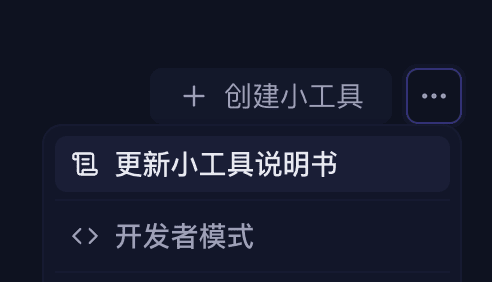
Before you start developing, refresh the mini tool manual in the toolbox to get Finch's latest mini tool capabilities and usage notes. We encourage developers to just ask Finch directly rather than relying solely on the docs.
Minimal structure
my-mini-tool/
├── finch.json          # manifest (recommended; package.json#finch also works)
├── package.json
├── tsconfig.json
└── src/
    └── index.ts        # compiles to dist/index.js
Manifest
{
  "manifestVersion": 1,
  "id": "my-mini-tool",
  "name": "My Mini Tool",
  "main": "dist/index.js",
  "activationEvents": ["onStartup"],
  "contributes": {
    "tools": true,
    "composerActions": [
      { "id": "my-btn", "icon": "Star", "tooltip": "Quick action" }
    ]
  },
  "permissions": {
    "network": true
  }
}
Entry code
import type * as finch from '@finchtoys/minitool-api';

export function activate(ctx: finch.MiniToolContext): void {
  // 1) Register an agent tool
  ctx.subscriptions.push(
    ctx.tools.register({
      name: 'my_mini_tool_search',
      title: 'Search',
      description: 'Search items by keyword.',
      inputSchema: {
        type: 'object',
        properties: { query: { type: 'string' } },
        required: ['query'],
      },
      async execute({ query }, exec) {
        exec.progress.report({ message: 'Searching…' });
        const text = await doSearch(String(query));
        return { content: [{ type: 'text', text }] };
      },
    }),
  );

  // 2) Register a Composer button
  ctx.subscriptions.push(
    ctx.composerActions.register('my-btn', {
      async getBadge() { return 'ready'; },
      async getMenu() {
        return [{ id: 'insert', label: 'Insert template', iconName: 'file-text' }];
      },
      async execute(_c, itemId, actions) {
        if (itemId === 'insert') await actions.composer.fill('Template content');
      },
    }),
  );
}

export function deactivate(): void {}
Three hard rules
activatemust be a named export, notexport default.- Type references must use
import type—@finchtoys/minitool-apiships types only, no runtime code. - Push every
Disposableintoctx.subscriptions, so cleanup happens automatically on deactivation.
Installing it
npm run build
npx @finchtoys/minitools doctor .   # static checks
npx @finchtoys/minitools add .      # install at the personal level
Then enable it in the Finch toolbox. Restart Finch after any code change for it to take effect.
Next: see what a mini tool package can contain, in Composition.