A mini tool that needs user credentials has three paths to choose from, depending on the credential type.
Structured settings: finch.settings
Declare fields in the manifest, and Finch renders them natively on the toolbox detail page, auto-reloading the mini tool once the user saves:
{
  "settings": {
    "fields": [
      { "key": "endpoint", "type": "string", "label": "Endpoint" },
      { "key": "maxItems", "type": "number", "label": "Max items", "default": 10 },
      { "key": "region", "type": "select", "label": "Region",
        "options": [{ "value": "us", "label": "US" }, { "value": "eu", "label": "EU" }] }
    ]
  }
}
In code, ctx.settings.get('endpoint') is read-only — it cannot write. Field types: string, number, boolean, select, list; string can be marked secret: true (password field) or multiline: true (textarea).
API keys / tokens
Collect these via a modal form as described in Standardized UI, and store them in ctx.secrets. Declare the allowed secret names in the manifest:
{ "permissions": { "secrets": ["apiKey"] } }
Where to put the entry point: a ComposerAction menu, a container settings menu (see Session containers), or a setup_* tool. Prefer the first two — they don't depend on the model deciding to call a tool.
OAuth path A: the mini tool owns the provider
Used for calling regular HTTPS APIs (Google, GitHub, etc.). The manifest declares the provider id:
{ "permissions": { "oauth": ["google"] } }
Code defines the provider and starts the flow:
const google: finch.OAuthProviderConfig = {
  id: 'google',
  name: 'Google',
  icon: 'assets/google.png',              // PNG bundled in the package, shown on the auth dialog
  clientId: PUBLIC_CLIENT_ID,             // Public client ID pre-registered by the publisher
  authorizationEndpoint: 'https://accounts.google.com/o/oauth2/v2/auth',
  tokenEndpoint: 'https://oauth2.googleapis.com/token',
  scopes: ['https://www.googleapis.com/auth/gmail.readonly'],
  resourceOrigins: ['https://gmail.googleapis.com'],  // HTTPS allowlist
};

await ctx.oauth.connect(google);
const status = await ctx.oauth.getStatus(google);
const res = await ctx.oauth.request(
  google,
  'https://gmail.googleapis.com/gmail/v1/users/me/profile',
);
await ctx.oauth.disconnect(google);
Finch handles the browser interaction, encrypted storage, refresh locking, and injecting the Authorization header.
Security boundaries (must understand):
- Only use Authorization Code + PKCE for public clients — never embed a client secret.
- Access/refresh tokens never cross into the mini tool process — they can only be used via
ctx.oauth.request(). resourceOriginsis an HTTPS allowlist; addresses outside it are rejected.request()strips any caller-suppliedAuthorization,Cookie,Host, andProxy-Authorizationheaders.- Credentials are stored per mini tool, isolated from one another.
OAuthResponse.bodyis a string — check the HTTP status before parsing it, and never log a response body that might contain private data.
Device flow: for services like GitHub that require a secret for the web flow, set flow: 'device_code' and provide deviceAuthorizationEndpoint; Finch handles displaying and copying the user code and polling the token endpoint.
OAuth clients are registered and maintained by the publisher — the public client ID ships with the package. Don't make end users register their own OAuth app. Configuring icon is strongly recommended, otherwise the authorization dialog has no branding.
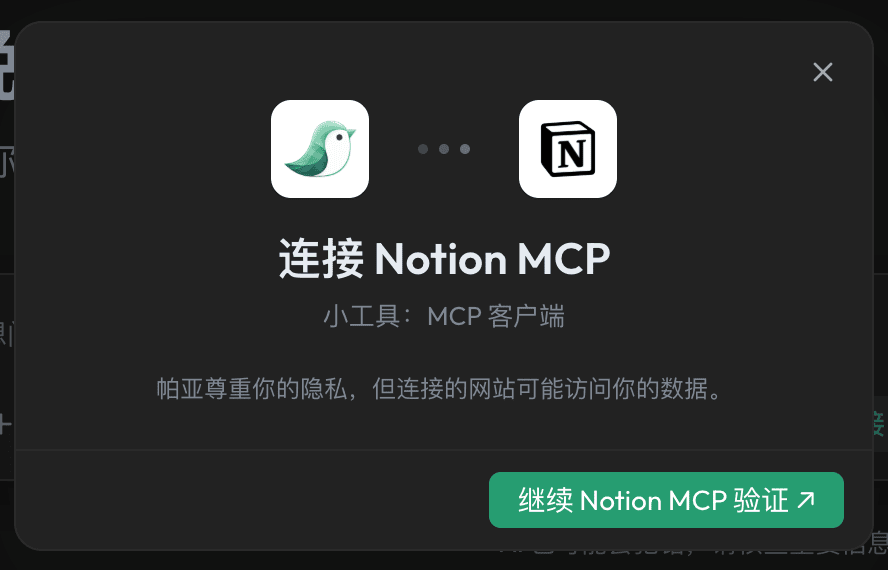
OAuth path B: an OAuth-protected MCP server
When a remote MCP endpoint requires OAuth, don't use path A. Declare contributes.mcpServers[].oauth, and let the MCP Client handle discovery, dynamic client registration (DCR), PKCE, and the token lifecycle — you don't need to register an OAuth client, and you don't need permissions.oauth. Provide the brand icon via mcpServers[].oauth.providerIcon.
Rule of thumb: if a service declares both permissions.oauth and mcpServers[].oauth, you've chosen the wrong path.
Showing login status
Recommended pattern: a disabled status row plus a clickable login/logout row in the container settings menu. Call notifyUpdate() when login status changes in the background, so the menu refreshes immediately. See Session containers.