A container gives a mini tool its own session space, instead of just injecting content into the user's main conversation. Bot integrations, vertical assistants, and multi-agent orchestration are all built on top of containers.
Prerequisite declaration
{
  "contributes": {
    "sessionContainers": [
      { "id": "inbox", "icon": "message-circle", "title": "Bot Inbox" }
    ]
  },
  "permissions": { "sessions": true }
}
Both permissions.sessions and contributes.sessionContainers are required, and you can only create containers you've declared. A container's icon falls back to bot if omitted.
Two modes
inbox | assistant | |
|---|---|---|
| Who starts the session | The mini tool | The user |
| Home page | Session list | Persona intro + starterPrompts |
| Model selection | Supports a container default model | Hidden |
agentProfile | Optional, but usually needed | Required |
starterPrompts are home-page guide cards, up to 4 shown. Clicking one creates a new container session and sends the card's prompt as the first message.
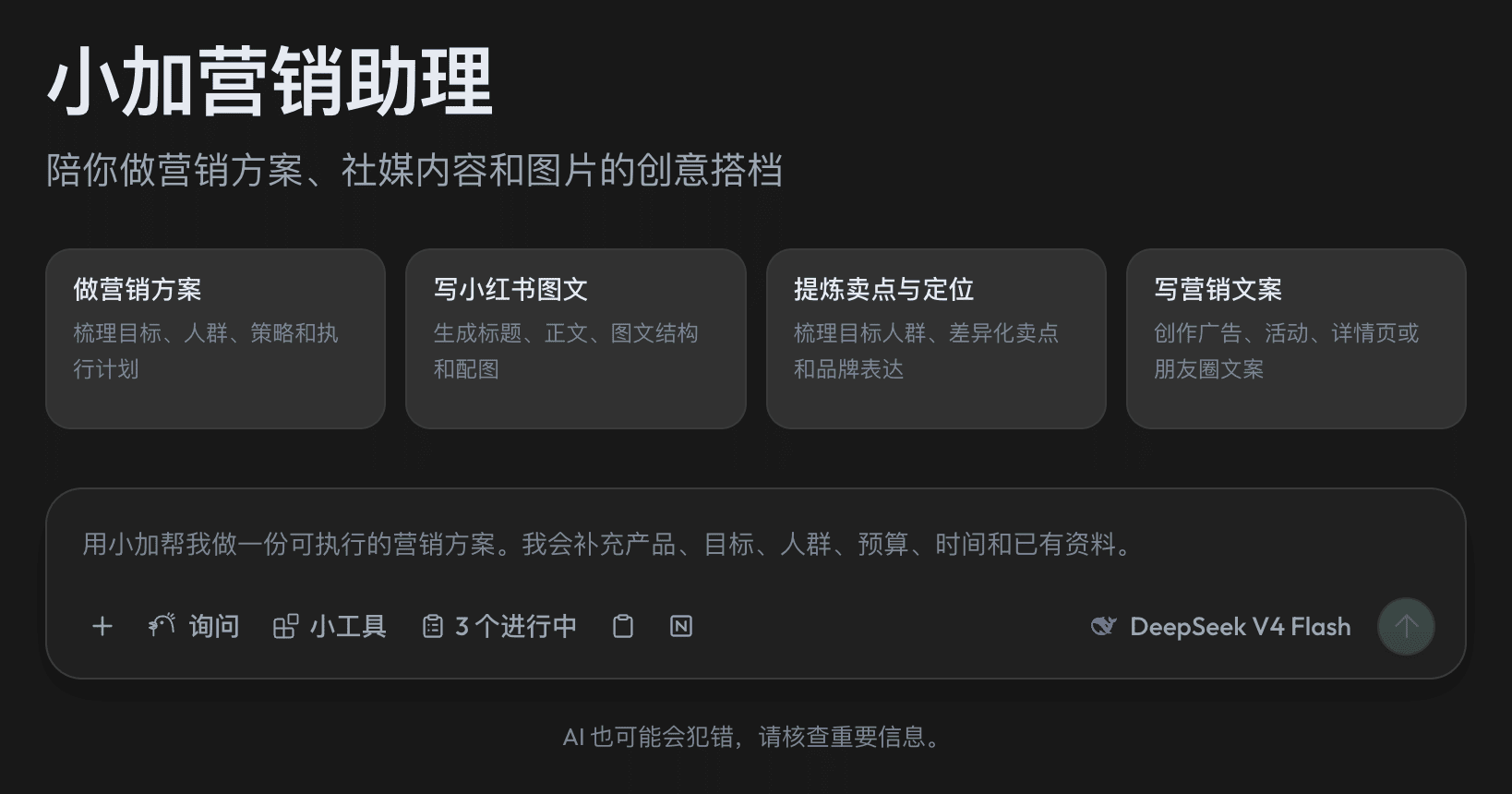
agentProfile: giving a container a persona
A profile is bound to the container, not to a single session:
{
  "contributes": {
    "sessionContainers": [
      { "id": "concierge", "title": "Travel Concierge", "mode": "assistant",
        "agentProfile": "concierge-role" }
    ],
    "agentProfiles": [
      { "id": "concierge-role", "name": "Travel Concierge",
        "description": "A patient itinerary-planning expert",
        "prompt": "You are a patient travel concierge who gives practical, structured advice." }
    ]
  }
}
Every session born in that container automatically carries this persona — whether the user clicks "New conversation" or you call create({ containerId }) yourself. Don't use the deprecated create({ profileId }) — it's ignored.
Key constraints when writing prompt:
- Finch injects the profile as a companion to the user's own Finch assistant — both identities coexist. The assistant keeps its own name, personality, memory, and safety rules; the profile only adds expertise and a division of labor.
- So
promptshould describe expertise and working style, not "you are a brand-new AI unrelated to Finch." - Don't hardcode the assistant's name — users can rename their own assistant.
- A profile prompt is additive — it can't override safety rules or elevate permissions.
- Sessions placed into a Space and the user's regular conversations never carry a profile.
Container settings menu
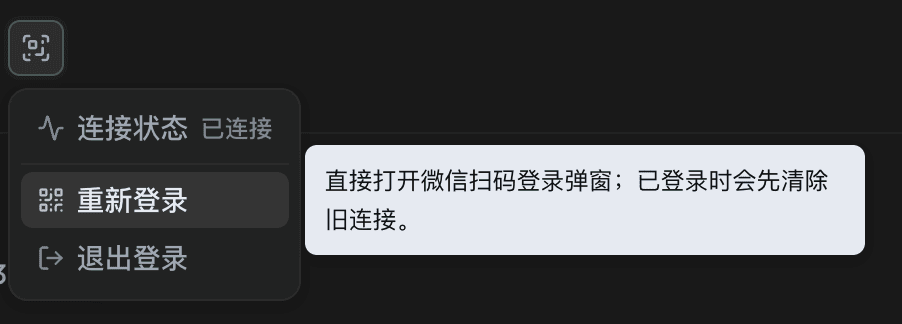
Both inbox and assistant containers can host one settings menu in the header area, typically used as an account login entry.
Manifest declaration (decides whether the button exists):
{
  "id": "inbox",
  "title": "Bot Inbox",
  "settingsMenu": { "icon": "settings", "tooltip": "Account & connection settings" }
}
Register the behavior once, at runtime:
const menu = ctx.sessionContainers.registerSettingsMenu('inbox', {
  async getMenu() {
    return signedIn
      ? [
          { id: 'status', label: 'Connection status', description: 'Signed in',
            iconName: 'toggle-right', disabled: true },
          { id: 'logout', label: 'Sign out', iconName: 'log-in' },
        ]
      : [
          { id: 'status', label: 'Connection status', description: 'Not signed in',
            iconName: 'toggle-left', disabled: true },
          { id: 'login', label: 'Sign in', iconName: 'log-in' },
        ];
  },
  async execute(_context, itemId) {
    if (itemId === 'login') await startOAuth();   // can open a modal / start OAuth directly
  },
});
ctx.subscriptions.push(menu);
Notes:
getMenu()is called every time the menu opens — just return the latest state.- The menu refreshes automatically after
execute()succeeds; when login succeeds in the background (OAuth callback, polling), callmenu.notifyUpdate()manually. - Icon fallbacks are independent:
settingsMenu.iconfalls back tosliders-horizontal, while the container's owniconfalls back tobot. - An empty or failed
getMenu()doesn't remove the button — visibility is governed by the manifest. - A container can only have one registered settings menu, and only the mini tool that owns it can register it.
Container default model
Users can pick a default model for a container from its row menu; create({ containerId }) then uses it automatically, falling back to the global default if none is set or it's unavailable. This is a user setting — a mini tool can neither read nor change it, and it only applies to inbox mode. Sessions placed into a Space never use the container's model.
Next: see how to create and drive sessions, in Session Loop.