强烈推荐使用
finch-mini-tool-creatorskill 来创建小程序。你只需要用自然语言描述需求,Finch 会帮你完成小程序的开发。如果想了解更多细节,可以继续往下阅读。
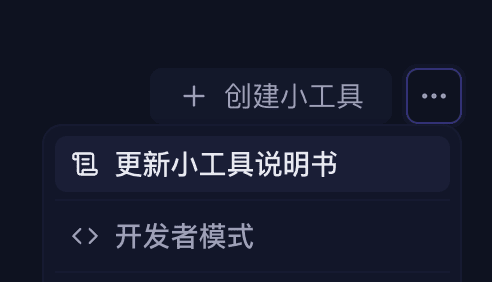
开始开发前,建议先在工具箱更新一次小程序说明书,获取 Finch 最新的小程序能力和使用说明。我们鼓励开发者直接向 Finch 提问,而不是只依赖文档。
最小结构
my-mini-tool/
├── finch.json          # manifest(推荐;也可用 package.json#finch)
├── package.json
├── tsconfig.json
└── src/
    └── index.ts        # 编译到 dist/index.js
manifest
{
  "manifestVersion": 1,
  "id": "my-mini-tool",
  "name": "My Mini Tool",
  "main": "dist/index.js",
  "activationEvents": ["onStartup"],
  "contributes": {
    "tools": true,
    "composerActions": [
      { "id": "my-btn", "icon": "Star", "tooltip": "快捷操作" }
    ]
  },
  "permissions": {
    "network": true
  }
}
入口代码
import type * as finch from '@finchtoys/minitool-api';

export function activate(ctx: finch.MiniToolContext): void {
  // 1) 注册一个 Agent 工具
  ctx.subscriptions.push(
    ctx.tools.register({
      name: 'my_mini_tool_search',
      title: 'Search',
      description: 'Search items by keyword.',
      inputSchema: {
        type: 'object',
        properties: { query: { type: 'string' } },
        required: ['query'],
      },
      async execute({ query }, exec) {
        exec.progress.report({ message: 'Searching…' });
        const text = await doSearch(String(query));
        return { content: [{ type: 'text', text }] };
      },
    }),
  );

  // 2) 注册一个 Composer 按钮
  ctx.subscriptions.push(
    ctx.composerActions.register('my-btn', {
      async getBadge() { return 'ready'; },
      async getMenu() {
        return [{ id: 'insert', label: '插入模板', iconName: 'file-text' }];
      },
      async execute(_c, itemId, actions) {
        if (itemId === 'insert') await actions.composer.fill('模板内容');
      },
    }),
  );
}

export function deactivate(): void {}
三条硬性规则
activate必须是命名导出,不是export default。- 类型引用必须是
import type,@finchtoys/minitool-api只有类型,没有运行时。 - 所有
Disposable推入ctx.subscriptions,停用时自动清理。
装上去
npm run build
npx @finchtoys/minitools doctor .   # 静态检查
npx @finchtoys/minitools add .      # 安装到个人层级
然后在 Finch 工具箱里启用。改完代码需重启 Finch 才生效。
下一步:了解一个小程序包里能装哪些东西,见《小程序的组成》。